

Lag Spikes and Rubberbanding With Low Ping
Ping only counts packets that come back. Lost packets and jitter never show in it, but you feel them.
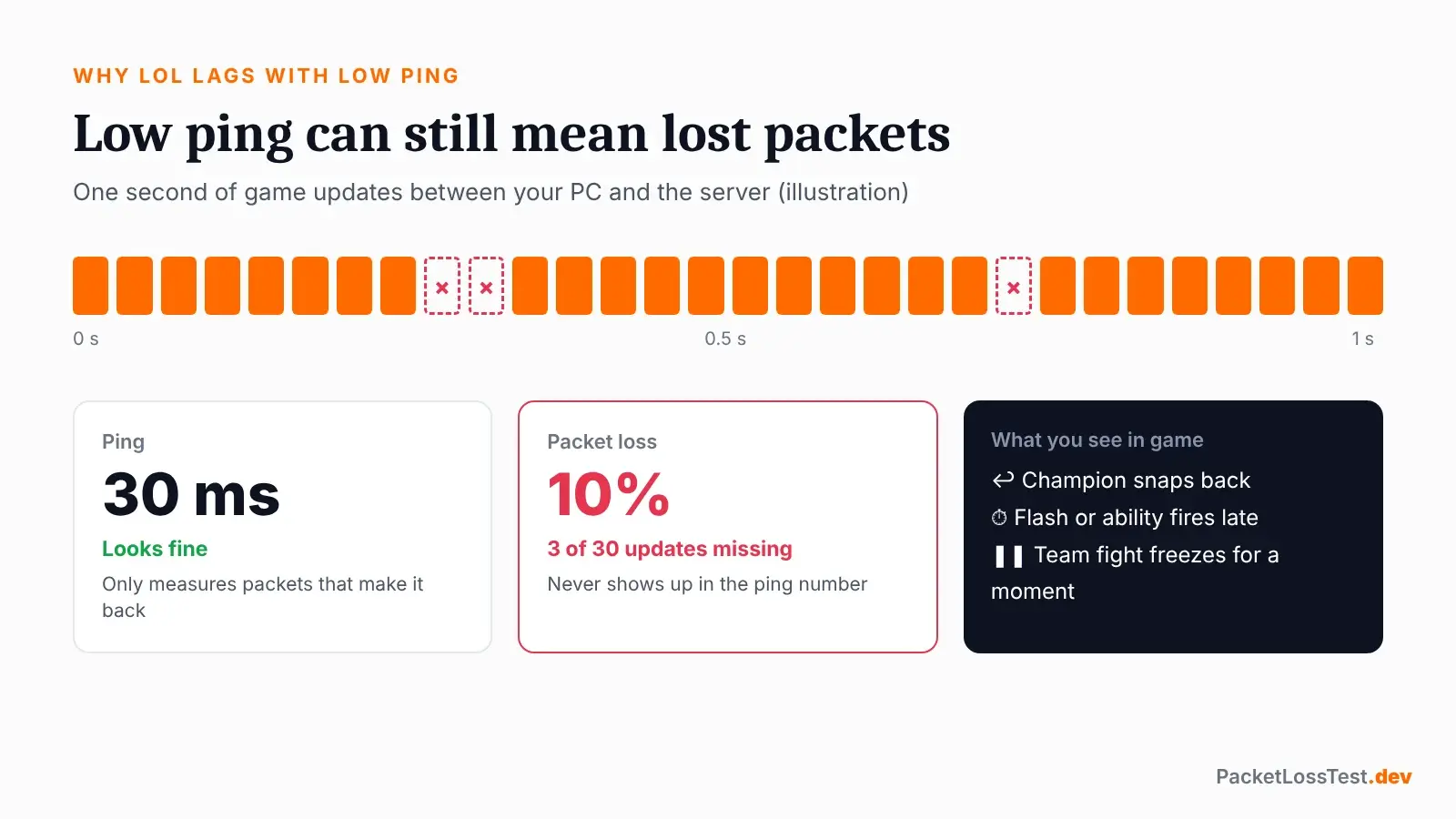
| What you see in LoL | Likely cause | Check |
|---|---|---|
| Champion snaps back (rubberbanding) | Packet loss | Loss % in the test |
| Flash or ability fires late | Loss or latency spike | Ctrl+F ping in fights |
| Lag spikes, ping looks fine | Jitter or short loss bursts | Jitter in the test |
| Freeze, then fast-forward | Several packets lost in a row | Log Reader loss graph |
| Stutter with a clean network | PC performance, not network | Log Reader score 90+ |
League of Legends packet loss spikes
Spikes at the same time every evening usually mean peak-hour ISP congestion. Random spikes usually mean something else is using the connection.
How to Check Packet Loss in League of Legends
Three ways to see packet loss in League of Legends. Each answers a different question.
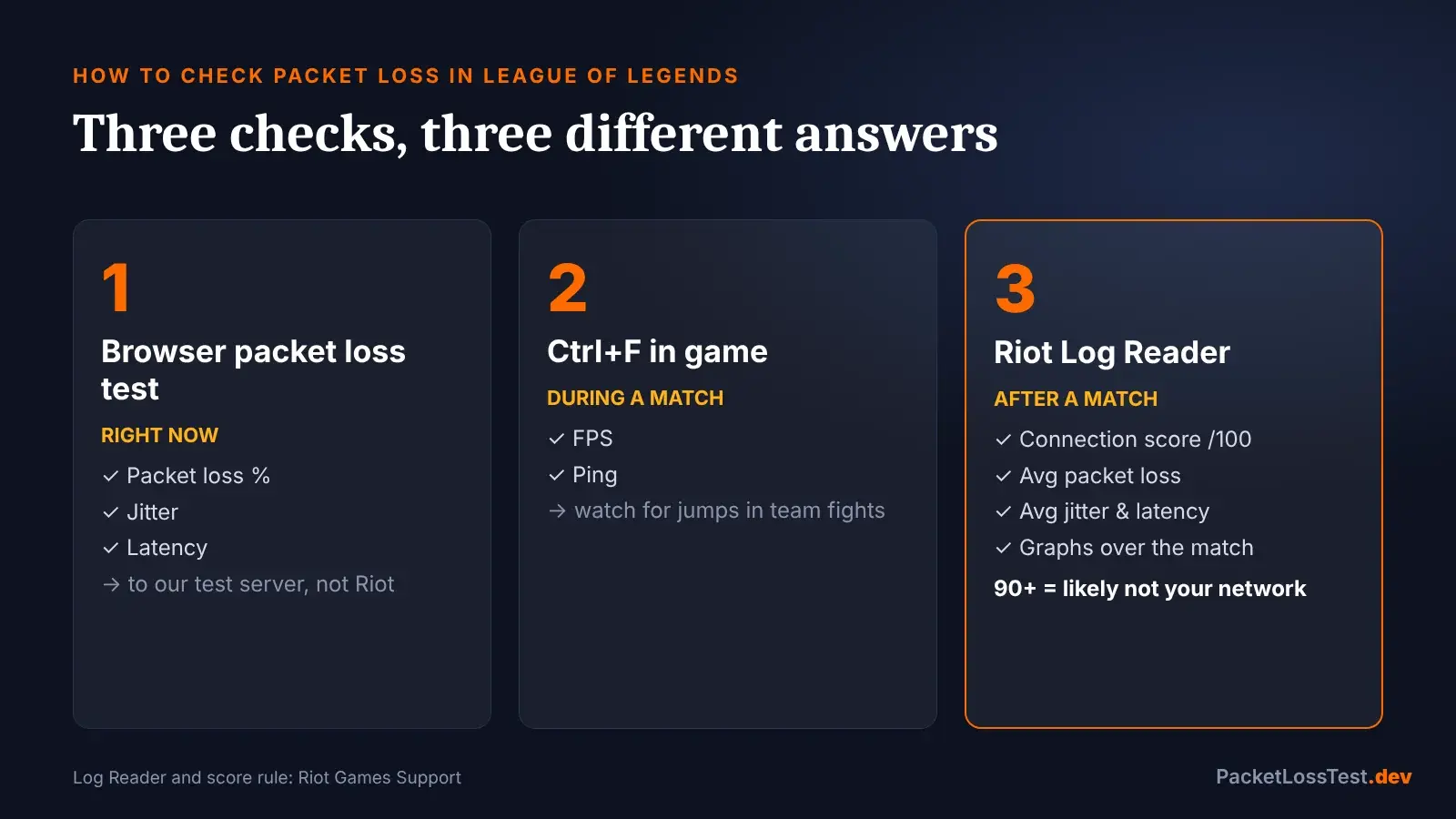
- Test above – packet loss, jitter, and ping right now.
- Ctrl+F in game – FPS and ping during a match.
- Riot Log Reader – upload the match netlog for a score out of 100 and average loss. 90+ means it's likely not your network.
Netlog folder: C:\Riot Games\League of Legends\Logs\GameLogs
How This LoL Packet Loss Test Works
Small game-sized packets, no retransmission. A lost packet stays lost, like in a match.
It does not connect to a Riot game server, so it can't measure your ping to LoL. It shows whether your own connection drops packets.
What Causes Packet Loss in League of Legends
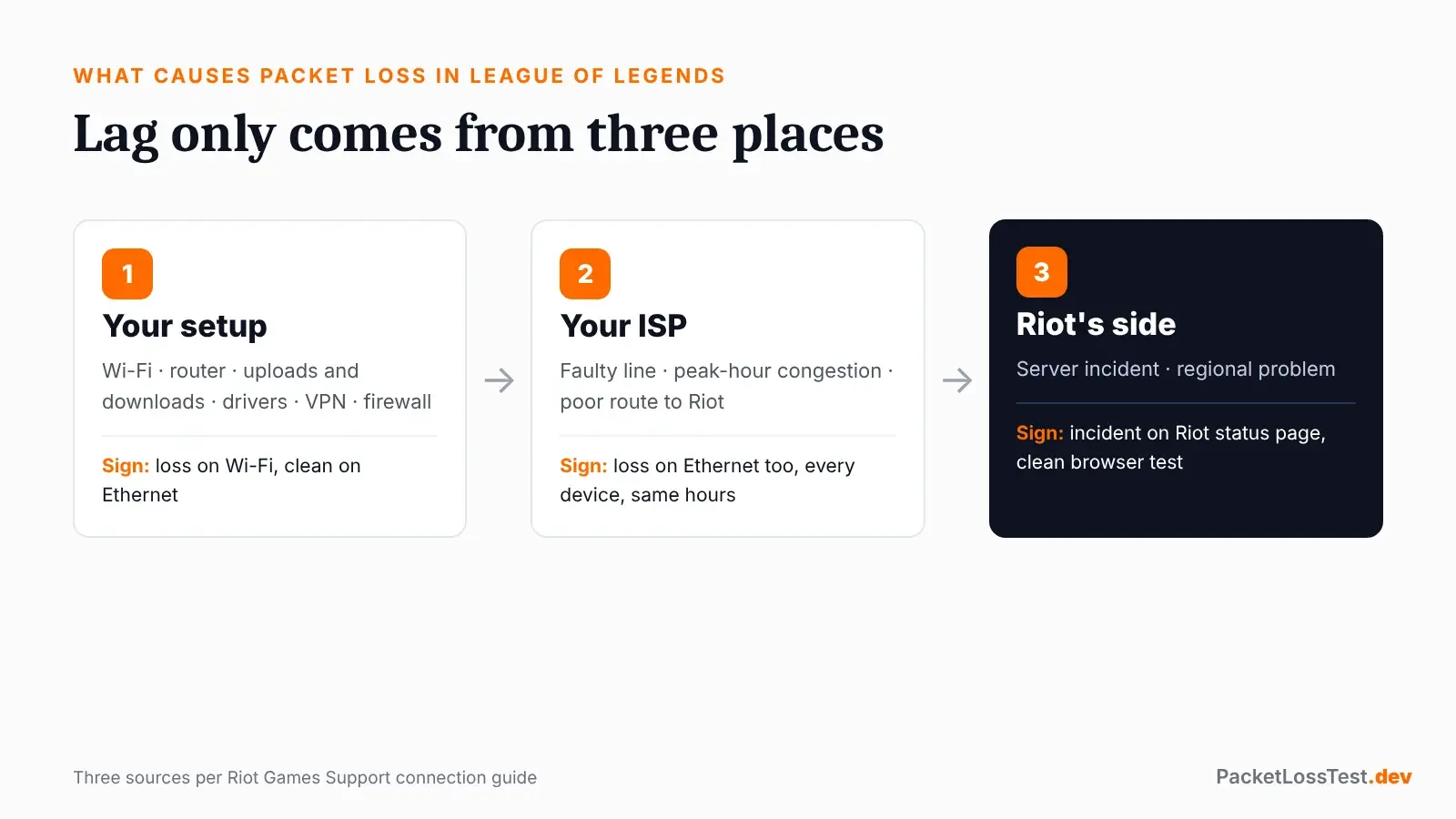
Per Riot Support, only three places.
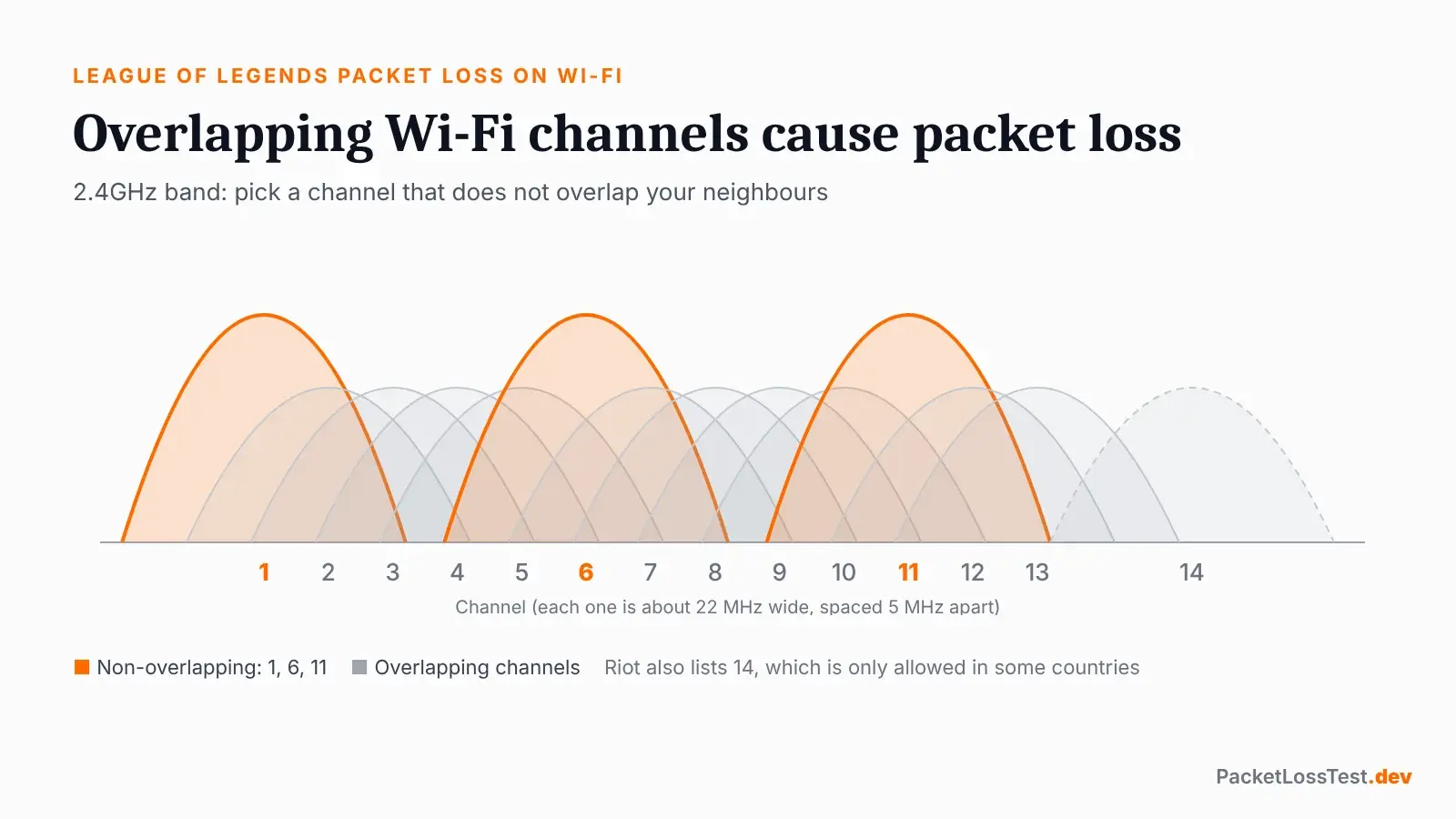
League of Legends packet loss on Wi-Fi
The most common cause. Overlapping channels cause packet loss, per Riot's router guide.
How to Fix Packet Loss in League of Legends
Do one, retest, then the next.
- 1Check Riot statusAn active incident means home fixes won't help yet.
- 2Try Ethernet onceLoss gone on a cable = your Wi-Fi is the problem.
- 3Pause background trafficDownloads, streams, Discord, Spotify, torrents, game updates.
- 4Turn off VPNs and proxiesRiot says they cause connection issues it can't fix.
- 5Update network driversDevice Manager → Network adapters.
- 6Fix Wi-FiUse 5GHz, a non-overlapping channel, new router firmware, and QoS.
- 7Reset the network stackipconfig /release, /renew, /flushdns as administrator.
- 8Send evidenceTest results + Log Reader screenshots to your ISP or Riot Support.
Links: Riot status · Riot Repair Tool (logs for support)
League of Legends ports
| Service | Port(s) | Protocol |
|---|---|---|
| Game client | 5000–5500, 7000–8000 | UDP |
| Patcher / Maestro | 8393–8400 | TCP |
| PVP.Net | 2099, 5222, 5223 | TCP |
| HTTP / HTTPS | 80 / 443 | TCP |
| Spectator | 8088 | UDP + TCP |
Source: Riot advanced connection guide
League of Legends Packet Loss FAQ
Is there an official League of Legends packet loss test?
Not a live one. Riot's Log Reader shows packet loss from a match you already played. Use the online test here for right now.
Does this LoL connection test reach Riot's servers?
No. This network test measures your connection to our test server. Clean here but bad in the Log Reader points to the route to Riot.
How much packet loss is OK in League of Legends?
Riot says as close to 0% as possible. It doesn't publish an acceptable number.
Why only on Wi-Fi?
Wi-Fi interference and overlapping channels drop packets. Use Ethernet, or 5GHz on a clear channel.
Can I switch servers to fix it?
No. Each account is tied to one region. Fix your setup or ISP route first.