
Network test comparison
Speed Test vs Packet Loss Test
Speed tests measure throughput. Packet loss tests measure whether data arrives reliably. Compare both results, understand why fast Mbps can still coexist with lag, call drops, or game instability, and choose the right next test.
Run the packet loss testFast speed can still lose packets
Throughput and delivery reliability are separate signals
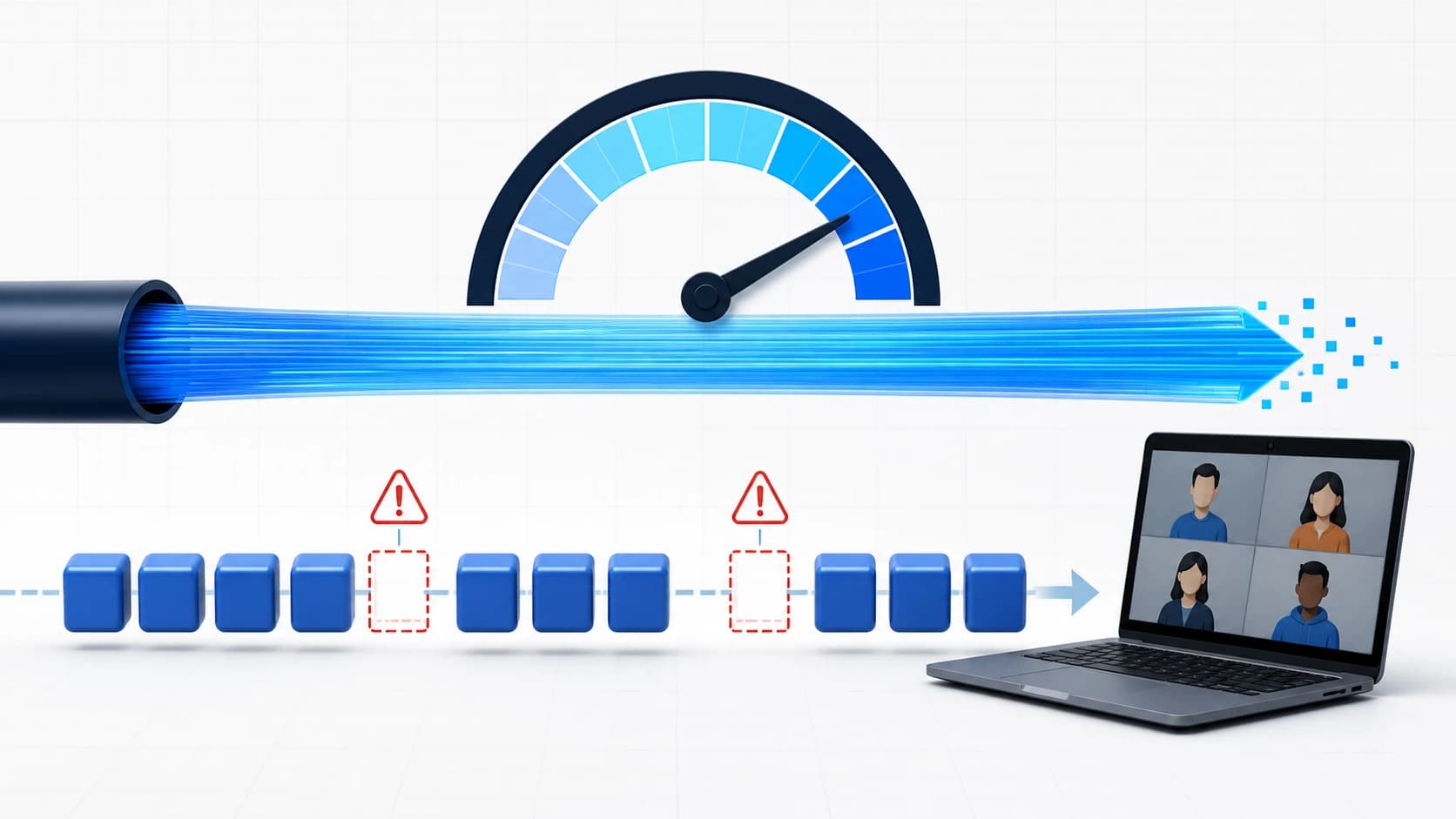
The difference is what each test observes: speed tests measure throughput, while packet loss tests measure whether packets complete the trip.
Speed Test vs Packet Loss Test: Quick Answer
A speed test measures how much data your connection can transfer per second, while a packet loss test measures how reliably packets reach their destination. The key to interpreting speed test packet loss results is separating capacity from delivery reliability.
When you need stable gaming, video calls, and responsive cloud sessions, throughput is only half the story. The missing part is reliability, and packet loss is how we see it.
The goal is to help you compare results and avoid decisions based only on one tool output.
- Use a speed test to establish baseline upload and download capacity.
- Use a packet loss test to determine delivery reliability for real-time traffic.
- Treat fast numbers plus packet drops as a quality problem, not a bandwidth success.
What Each Test Measures
An internet speed test packet loss result is only useful when it separates connection capacity from delivery reliability. Some tools described as a packet loss speedtest or speedtest packet loss checker show both, but you should still interpret the metrics separately.
| Metric | What it measures | Best use | Common blind spot | What it explains |
|---|---|---|---|---|
| Download / upload speed | Throughput capacity per second | Transfer performance and general network limits | Delivery reliability and burst behavior | Good bandwidth but not necessarily smooth real-time traffic |
| Packet loss | How many packets fail to arrive | Real-time and interactive reliability | A short sample can miss intermittent bursts | Lag, call stutter, missed game updates |
| Latency and jitter | Delay and delay variation | Responsiveness under load | Does not replace packet-loss checks | Sudden movement pauses and unstable controls |
| Stability over time | Signal consistency across retries | Intermittent fault detection | Single-window testing confusion | Why tests can look good once and bad later |
- An internet speed test reports connection capacity, usually as download and upload Mbps.
- A packet loss test reports delivery failures, often alongside latency and jitter.
- A tool can expose both in one run, but the two results still answer different questions.
- When your speed is good but symptoms remain, check packet loss in a structured way.
Why a Fast Speed Test Can Still Miss Packet Loss
This is the most common confusion. A fast upload/download result does not guarantee healthy packet delivery, especially for UDP-based or time-sensitive sessions.
Imagine two tests with similar speed output: one has almost no packet loss and one has low but bursty loss. Real-time quality will usually be much worse in the second case.
For this reason, packet loss remains important even when speed tests already show a good line in the green.
| Symptom | Likely signal | Recommended action |
|---|---|---|
| Call audio has short gaps but download speed looks good | Packet loss or burst drops in path timing | Run dedicated packet loss test and compare during call window |
| Streaming works, but game movement stutters | Loss spikes or route instability | Compare wired and Wi-Fi packet-loss checks |
| Noisy or unstable network every evening only | Time-dependent congestion or interference | Repeat checks during the same period |
| Everything works on Wi-Fi and drops on one laptop only | Device or local stack issue | Test another device and compare results |
Which Test Should You Run First?
Run a speed test and packet loss test together when the symptoms could come from either limited capacity or unreliable delivery.
If symptoms are user-facing and real-time, you should prioritize packet-loss-focused checks even if speed looks fine.
Treat a speed test for packet loss as a screening question: did the combined tool show enough reliability detail, or do you need a dedicated packet-loss run?
| Problem | Start test | Expected signal |
|---|---|---|
| Download feels slow | Speed test | Confirms transport capacity first |
| Voice/video quality issues | Packet loss test | Confirms delivery issues in real-time traffic |
| Game lag with normal speed | Packet loss test | Reveals route drops and burst behavior |
| Inconsistent results only at night | Both tests (same time window) | Separates noise from persistent faults |
- Run one test, then repeat with the same setup to confirm.
- Avoid switching too many variables between runs.
- Compare at least one wired and one Wi-Fi scenario when practical.
How to Run Both Tests in a Useful Order
A useful sequence is more important than a long test list. Use this order to reduce misdiagnosis:
1) Baseline throughput, 2) packet-loss check, 3) wired-vs-Wi-Fi comparison, 4) time-of-day retest, 5) isolate one variable at a time.
This sequence is much more effective than jumping between unrelated settings when results contradict each other.
| Step | What to do | What it changes |
|---|---|---|
| Baseline speed test | Record normal speed under quiet network conditions | Sets a stable capacity reference |
| Packet loss test | Test packet delivery on the same device and target | Reveals reliability gaps |
| Wire test and Wi-Fi test | Repeat packet-loss check on Ethernet and Wi-Fi | Separates local wireless issues from upstream issues |
| Window repeat | Retest during call/game/problem window | Confirms whether issue is persistent or burst-only |
| Prioritize action | Move from simplest local fix to route-level escalation | Keeps troubleshooting efficient |
- Do not compare a clean speed run against a poor packet-loss run taken in different hours.
- Do not use one short test as a full diagnosis.
- Do not assume one tool can replace all checks.
How to Read Speed and Packet Loss Results Together
Read the two results as a pattern rather than treating either number as a complete diagnosis.
Repeat the same setup over time before deciding whether the problem is capacity, reliability, or both.
| Throughput | Packet loss | Interpretation | Recommended action |
|---|---|---|---|
| Fast | Clean | Capacity looks fine, reliability mostly fine | Fine-tune latency settings only if user-facing symptoms remain |
| Fast | Elevated | Good speed but unstable delivery | Focus local path, then route timing checks |
| Slow | Clean | Throughput limitation likely | Optimize capacity and load, then recheck |
| Slow | Elevated | Capacity and reliability are both impacted | Structured retest and escalate with evidence |
When a Speed Test With Packet Loss Is Enough
A speed test that tests for packet loss can be enough for a first pass when the tool shows throughput, latency, jitter, and loss in the same run. That is useful when you only need a quick screening result or when you are comparing two network locations under the same conditions.
The limit is that a combined run may still be short, destination-specific, or optimized for bandwidth measurement first. If it reports loss, treat that as a reason to run a dedicated packet-loss check. If it reports no loss but your call or game still breaks, repeat the test during the exact symptom window instead of assuming the issue is gone.
For a wifi speed test with packet loss workflow, compare Wi-Fi and Ethernet separately. A clean wired result with poor Wi-Fi loss usually points to signal, interference, channel congestion, or the wireless adapter. A poor wired result is stronger evidence that the problem may be upstream, device-wide, or route-specific.
- Use an internet speed test with packet loss for screening, not final diagnosis.
- Use the dedicated packet-loss test when the symptom is real-time lag, voice gaps, or game desync.
- Keep the target, device, and time window consistent before comparing two results.
FAQ
Does Speedtest show packet loss?
Some tools show packet loss along with speed. Others focus mostly on bandwidth metrics. For persistent real-time problems, run a dedicated packet-loss check and verify in the issue window.
Can you have good internet speed and still have packet loss?
Yes. Throughput and reliability are different signals. The same line can look healthy while packet delivery still drops in bursts.
Which test is better for gaming or video calls?
For interactive sessions, packet loss checks are usually the first decision test. Use speed for baseline and avoid changing too many settings before confirming delivery reliability.
How do I test if I'm losing packets?
Use repeated packet tests with stable conditions. Compare Wi-Fi and wired results and repeat during the same symptom period.
Is 2.7% packet loss bad?
For many real-time cases, repeated 2.7% packet loss is a meaningful warning. If it repeats in the same pattern, treat it as an issue worth troubleshooting.
How do I fix packet loss after a normal speed test?
Start with the simplest repeatable step: wired-vs-Wi-Fi comparison, gateway restart, one variable at a time. If wired results stay poor, escalate with evidence.
What to Do Next
After comparing both results, choose the next guide based on the pattern you found:
Use this page flow: read what packet loss means, identify causes, measure normal ranges, and apply fixes.
- Start with What Is Packet Loss? for terminology.
- Use What Causes Packet Loss? to narrow local, ISP, or route causes.
- Use How Much Packet Loss Is Normal? for interpretation.
- Use Packet Loss Test CMD for command-line verification.
- Use How to Fix Packet Loss for practical remediation.